Anyone who has uploaded a vlog, a game clip or a podcast episode to YouTube knows the moment: the video is live, the views are coming in, and then a copyright claim appears because of thirty seconds of music in the background. The money from that video goes to someone else, or the video is muted, or in the worst case the channel collects a strike. For small creators this is one of the most frustrating parts of publishing, and it usually comes down to one decision made in a hurry: where the music came from.
The good news is that it is easy to avoid once you know what to look for. Here is a short guide to picking background music that stays out of trouble.
Why videos get claimed even when the music was “free”
YouTube’s Content ID system compares every upload with a huge database of reference tracks. When it finds a match, the owner of that reference decides what happens: earn the ad money from your video, track it, or block it. The catch is that many tracks offered as “free” or “royalty free” are also registered in Content ID by their composers or distributors. You can hold a perfectly valid license and still be claimed, and then you have to dispute the claim and wait.
So the first question to ask about any music source is not “is it free?” but “is this music registered in Content ID, and by whom?”
Read the license, not the label
“Royalty free”, “no copyright” and “free for YouTube” are marketing words. The license is what counts. Before you download, check four things:
- Monetized videos. Some free licenses allow only non-commercial use. If your channel earns from ads, you need a license that says monetized videos are fine.
- Credit. Many free libraries ask for a credit line in the description. That is a fair trade, but make sure you can actually give it where you publish (a Short, a Reel, a podcast episode).
- Client work. If you edit videos for others, a personal free license may not cover it. Paid plans usually do.
- What happens after you stop paying. With subscriptions, check whether the videos you published while subscribed stay licensed after you cancel.
Keep a record
Save the license page or the certificate for every track you use, together with the date. If a claim does appear, a link to the license and the track page usually settles it quickly.
AI-made music libraries
A newer option is libraries of music made with AI tools. They grew quickly because they can offer large catalogs at low cost, but they are not all equal. What matters is the same as for any library: a clear license, honest labeling, and whether the tracks are kept out of Content ID.
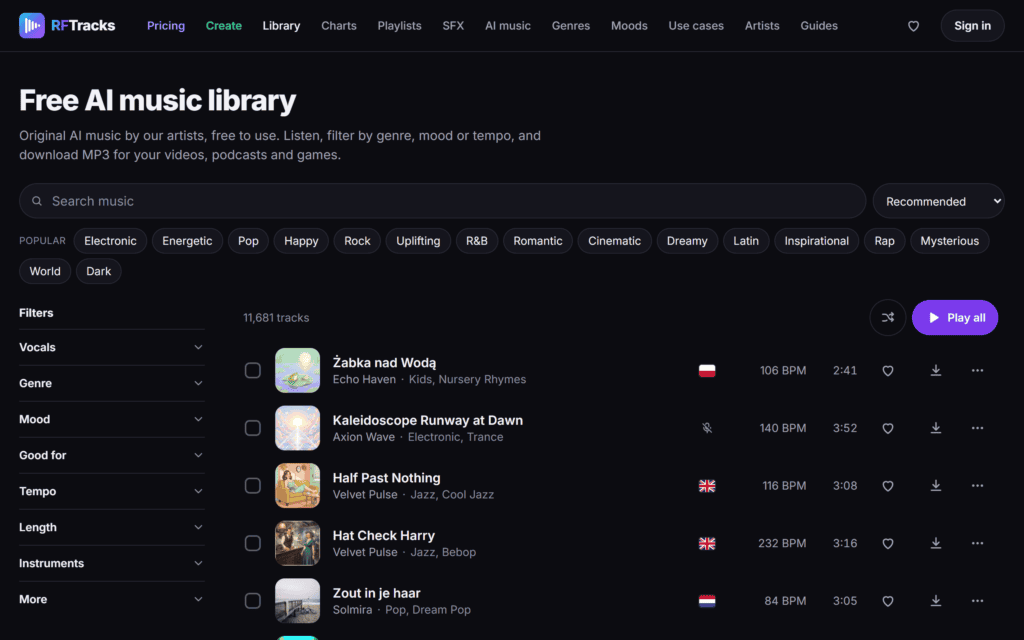
One example is RFTracks, a library of more than 11,000 tracks made with AI tools and labeled as such on every track page. You can listen and filter by genre, mood, tempo, vocals or length without an account. With a free account the MP3 can be used in monetized videos, podcasts, streams and games, and the only condition is a link back to the site; paid plans remove the credit line and cover client work. The library states that its music is never registered in Content ID, which is exactly the point that matters for creators. Its list of tracks for videos is at https://rftracks.com/no-copyright-music
A quick checklist before you hit upload
- The license allows monetized use and the platform you publish on.
- You know whether a credit is required and you have added it.
- The music is not registered in Content ID by someone else.
- You saved the license or certificate for the track.
- For client projects, your license covers commercial work.
Five minutes of checking before upload saves hours of disputes afterwards, and keeps the income from your videos where it belongs: with you.
