An AI-generated image may look impressive on screen, but its original resolution does not always suit every creative project. A website banner, printed poster, product advertisement, or large digital display may require more pixels and carefully preserved details. Upscaling increases image dimensions while aiming to maintain visual quality. The process involves more than enlarging a file. Creators must consider textures, edges, color transitions, and the intended viewing distance to achieve a convincing result.
Understand What Makes an AI Image Suitable for Upscaling
Check the Original Image Before Increasing Its Resolution
A successful upscale starts with an assessment of the source image. Look closely at facial features, object boundaries, fine textures, background patterns, and areas with subtle color transitions. These details provide a useful reference when evaluating the enlarged result. An image with clear subjects and well-defined compositions offers a stronger foundation for further enhancement. Creators should also identify which elements matter most. For example, a product advertisement may require accurate surface textures and sharp edges, while an illustrated landscape may depend more on smooth gradients and consistent artistic details. Understanding the original image makes it easier to select an appropriate enhancement approach.
Choose Resolution According to the Final Application
The ideal image resolution depends on where the artwork will appear. Website graphics, social media posts, digital advertisements, and printed materials have different display requirements. A small graphic intended for a mobile interface does not necessarily need the same dimensions as a full-page promotional poster. Printing also requires attention to physical dimensions and pixels per inch (PPI). For example, a 300 PPI image is a common target for high-quality print production, although the appropriate value depends on the printing method and viewing distance. Establishing the final output requirements before upscaling prevents unnecessary processing and gives creators a measurable quality target.
Preserve the Original Style During Enlargement
AI-generated artwork often contains distinctive visual characteristics. Watercolor illustrations rely on soft transitions, 3D renders depend on material definition, and realistic portraits require natural-looking skin and facial details. Upscaling should preserve these characteristics rather than impose an unrelated appearance. Excessive sharpening may change the visual personality of an image, while aggressive enhancement may introduce details that do not belong in the original composition. A useful approach is to compare the enlarged version with the source at the same viewing scale. Check whether the original lighting, proportions, textures, and color relationships remain recognizable. The objective is greater image clarity, not an entirely different interpretation.
Practical Ways to Improve AI Image Resolution
Use AI Enhancement to Recover Fine Visual Details
AI-based upscaling examines image patterns and estimates additional visual information when increasing resolution. Depending on the technology, it may improve edge definition, refine textures, and reconstruct details in areas that appear soft at the original size. This approach is particularly useful for portraits, architectural illustrations, product visuals, and complex digital artwork. However, creators should distinguish between recovering existing information and generating plausible new details. Facial features, text, logos, and product geometry deserve particular attention because small changes can affect accuracy. Review these elements after enhancement rather than judging quality through overall sharpness alone.
Refine the Source Image Before Generating a Larger Version
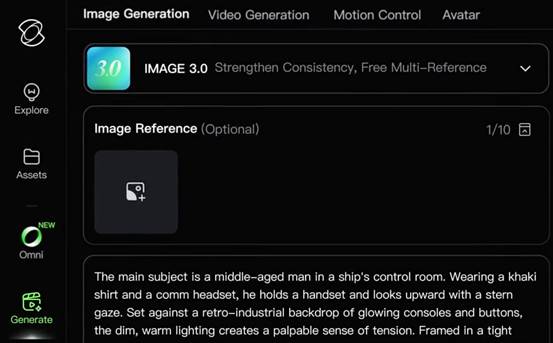
Sometimes the best route to a high-resolution visual begins with improving the original creative concept. Adjusting the composition, lighting, color balance, or subject definition before producing another image gives the workflow a clearer direction. Its model supports prompt-based image creation and visual refinement, including adjustments to composition, lighting, and individual details. Creators can also introduce reference images to preserve important characteristics. This offers another way to develop high-resolution campaign artwork from a carefully established visual direction.
Match the Enhancement Process to the Image Type
Different images require different enhancement priorities. A portrait benefits from careful treatment of facial features, hair, and skin texture. Product photography needs accurate edges, surface materials, and reflections. Digital illustrations require consistent line work, clean shapes, and controlled color transitions. Landscape artwork places greater emphasis on natural textures, atmospheric depth, and fine environmental details. Creators should therefore avoid applying identical enhancement settings to every image. Prompts and reference images offer ways to guide the visual characteristics of newly generated artwork. For a collection of related images, It also supports varied framing and a unified creative direction, with native 4K output.
Conclusion
Upscaling AI-generated images requires a balance between resolution, detail, and artistic integrity. The best results begin with a clear understanding of the original artwork and its final application. Careful enhancement, appropriate output dimensions, and detailed quality checks all contribute to a stronger result. AI-assisted creation also offers another route when creators want to refine or develop larger visuals. It combines prompt-based refinement, reference integration, and high-resolution image generation, making it a useful part of a broader creative workflow.
